Why You Should Use Linux
Table of Contents
Figure 1: This is Tux the Linux mascot
1. What is GNU/Linux?
GNU/Linux or more commonly known as Linux is a free and open source operating system that is based on the Unix operating system that was developed by AT&T in 1969.
1.1. What is GNU?
GNU is a collection of free software that is licensed under the GPL (GNU Public License) that was founded by Richard Stallman, a somewhat radical free software advocate who does not agree with the practices of many large companies, especially those who produce proprietary software.
1.2. What is Linux?
Linux is the kernel in the GNU/Linux operating system, a kernel is the software layer that directly interacts with the hardware in your computer and communicates between that and the rest of your software. Linux was created by the programmer Linus Torvalds who was looking for a better alternative to the minix operating system he was currently using. In order to properly maintain Linux, Torvalds later created the source management tool git which is now the standard tool used to manage programming projects.
2. How is Linux different from Windows?
2.1. UI
The Linux user interface can be made to look very similar to Windows, this is incredibly useful for people who are switching from Windows to Linux. One thing that makes Linux incredibly powerful is that there are so many different user interfaces that you can choose from and customize. If the user wanted they could even purely use the command line on their computer and never deal with any UI.
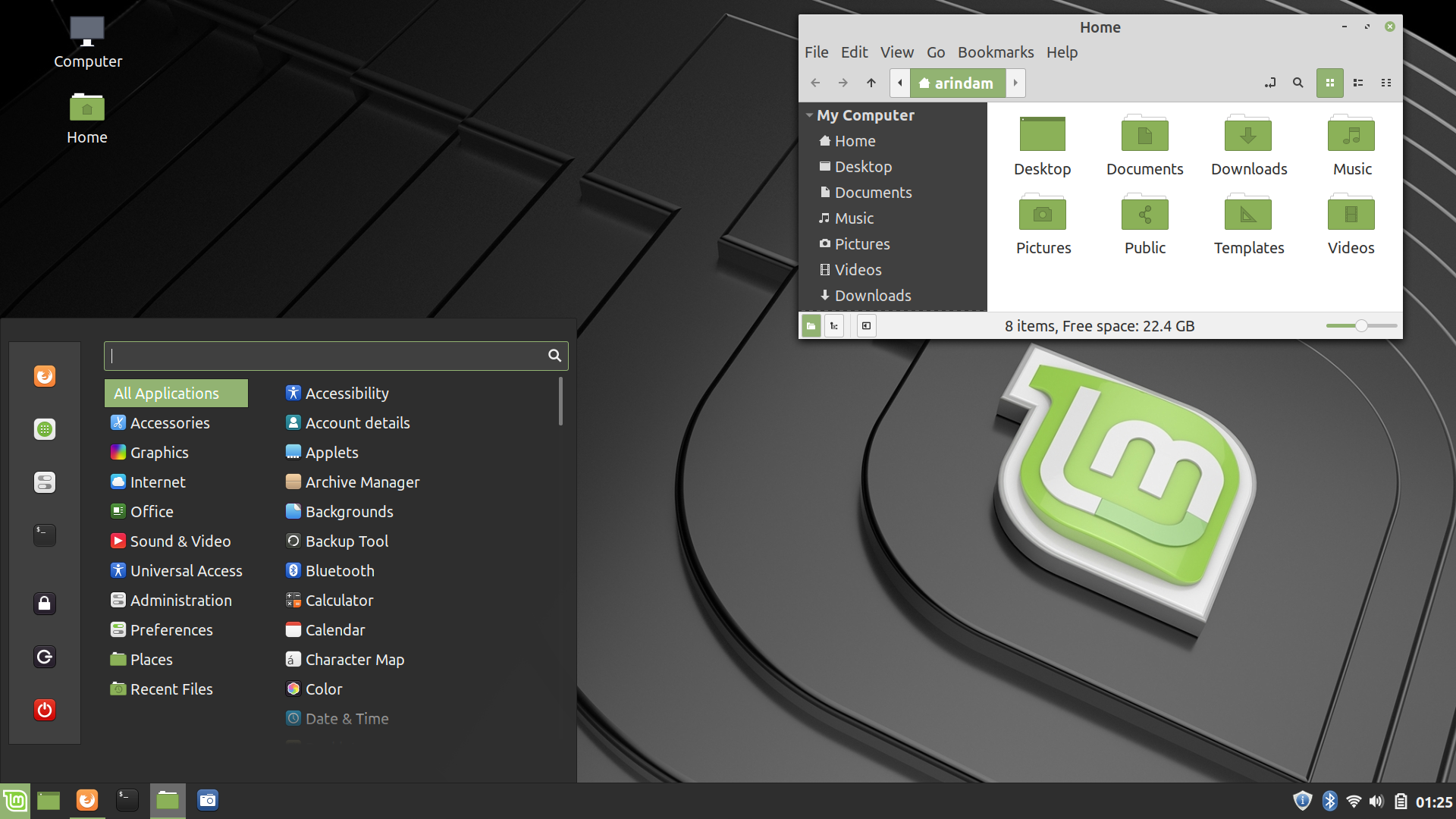
Figure 2: This is the Linux Mint Cinnamon Desktop Environment
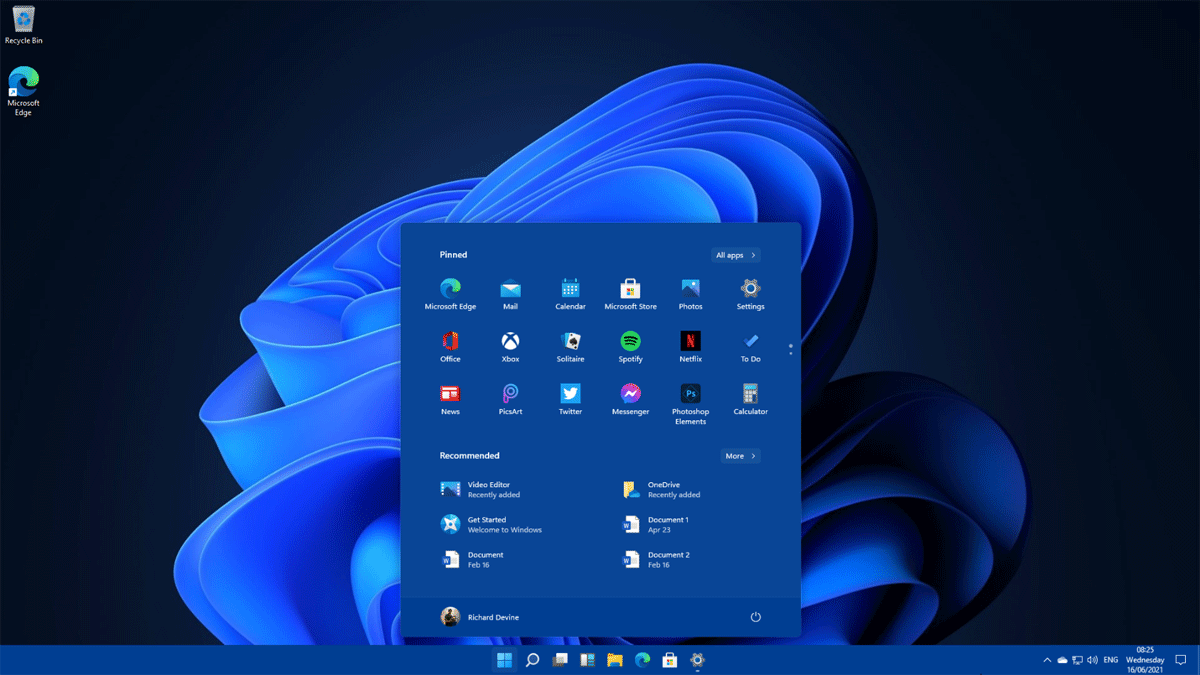
Figure 3: This is the Microsoft Windows 11 Desktop Environment
2.2. Package management
Unlike Windows, Linux uses a package manager to keep track of all the applications on the system so there is no need to go on the internet and search for a '*.exe' file that may or may not actually be the program that you want. For example to install Firefox on Debian Linux you would enter something into the command line like:
sudo apt-get install firefox
And then once the download and install is finished Firefox will be ready for use without having to search through websites in order to find the right install file.
2.3. Design Philosophy
Linux is at its core a minimalist operating system and many of its features are specifically designed to do one thing very well, this allows the user to refine their operating system specifically for their workload.
3. Similarities to Mac OS
Under the hood Linux actually works very similarly to Mac OS because they are both Unix based operating systems. The main difference between the two operating systems is that Linux is not under Apple's control so it gets the user out of Apple's "walled garden". Another advantage of Linux over Mac OS is that the user does not need to own a Apple computer in order to run the Linux operating system while Mac OS is exclusive to Apple.
4. Why would you want to use Linux?
4.1. Security
Linux is free and open source software so the user has the ability to see everything that is going on inside their computer, this allows for the user to decide if their system is secure as they can curate it for themselves. Linux is not owned or controlled by a singular company, person, or organization it is completely community driven so there is no need to worry about companies like Microsoft and Apple trying to collect and sell your data to advertisers when using Linux.
4.2. Efficiency
Linux is very resource efficient and can run on just about any computer, I don't believe that there is a single person that would be upset about a faster computer. When Linux is first installed on your computer there is a minimal amount of software that is installed, this allows the user to pick and choose what software they would like to use without risk of adding redundancy and bloat. This can easily be seen in the idle system memory usage of the operating system, pictured below you can see that on idle Windows uses 3 GB of memory while Debian only uses 361 MiB, that is a 790% difference in memory usage!
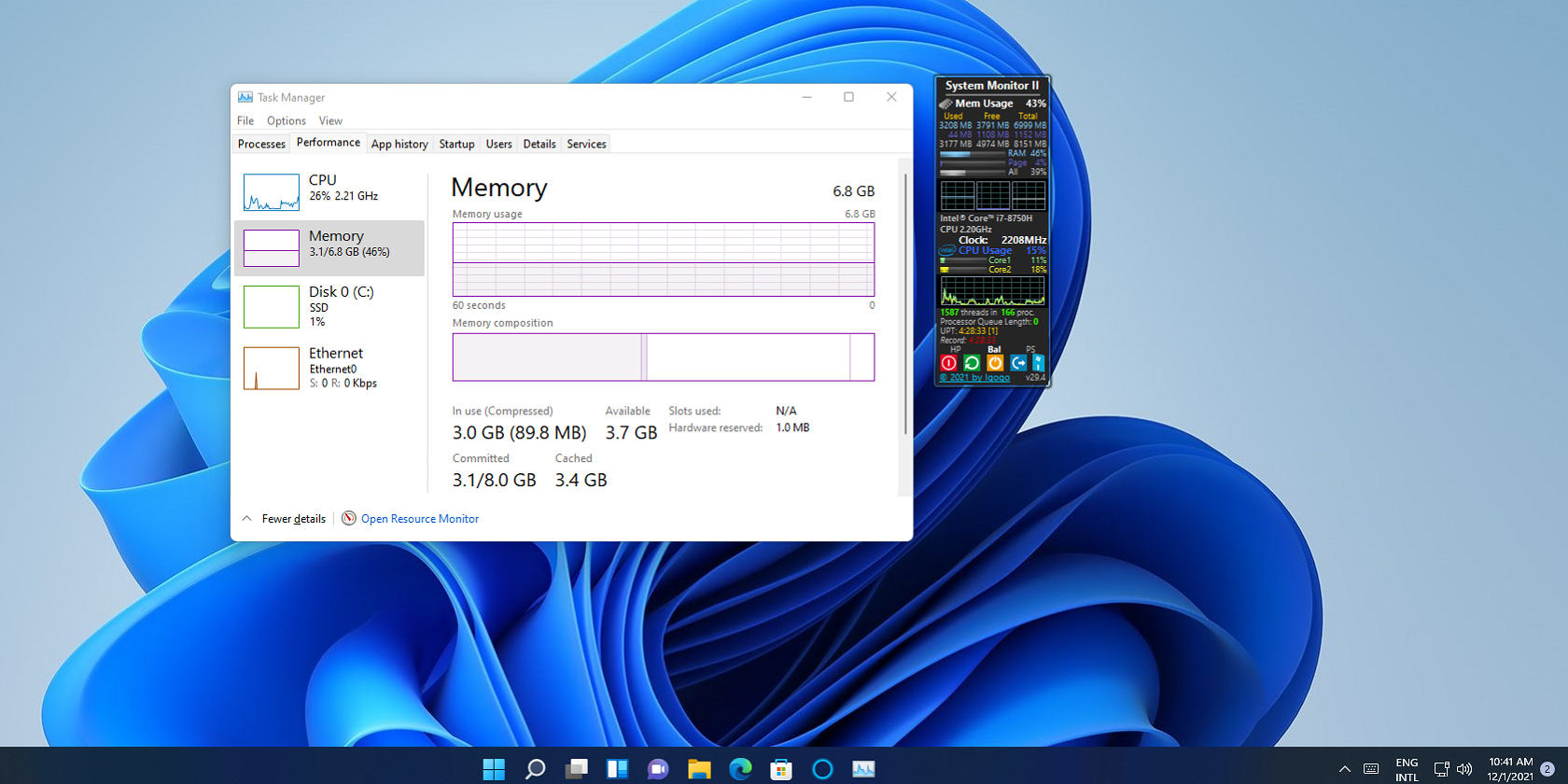
Figure 4: Windows 11 uses a lot of system memory even when it is not doing anything
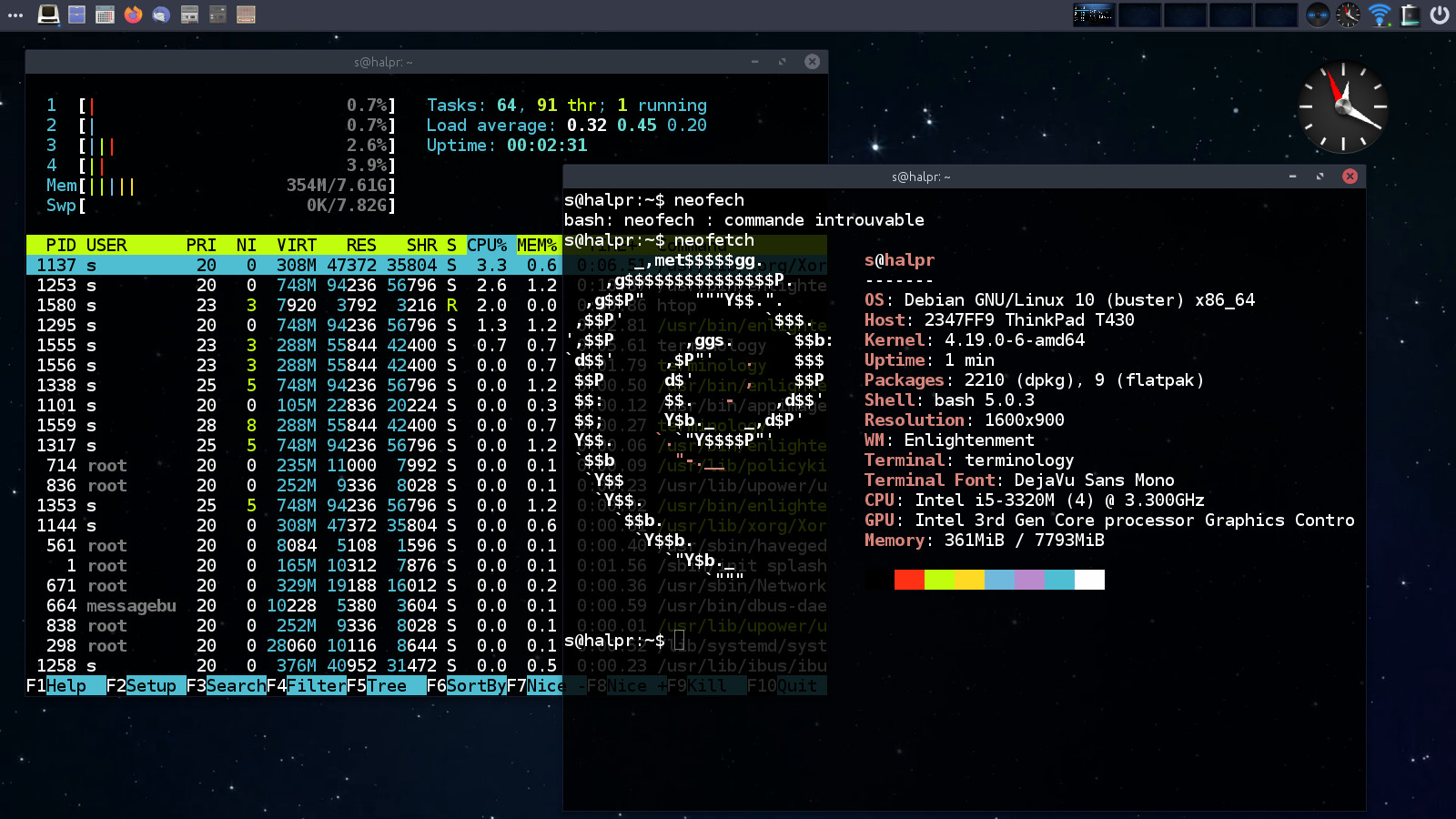
Figure 5: A full install of Debian Linux uses a minimal amount of system memory
4.3. Linux Doesn't Have Any Advertisements
Linux doesn't have any advertisements installed on the operating system and it never will. Users pay $100 for a Windows license and yet the Windows operating system still comes with ads preinstalled, it is possible for the user to remove them but there is still a chance that when the user updates their computer that they will come right back. It is absolutely insane that a company such as Microsoft thinks that they can sell a product to their customers just to use it as a digital billboard to squeeze more money out of their users. There is no reason why a consumer should use their hard earned money to buy a product that just tries to sell them more crap.
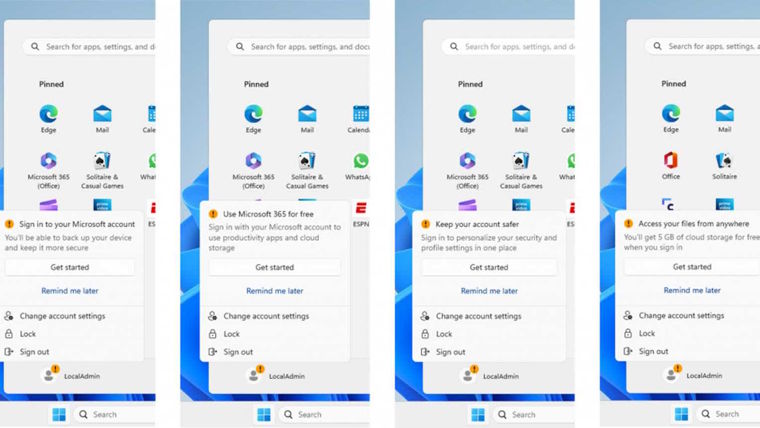
Figure 6: Windows advertising its own services
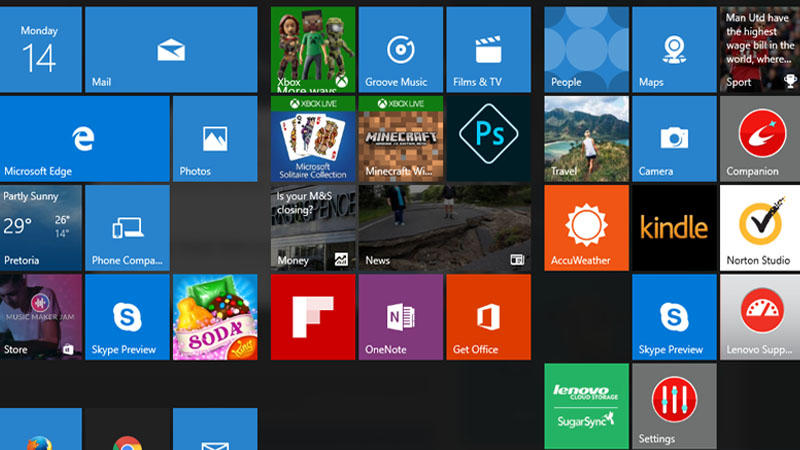
Figure 7: Windows advertising other applications in the start menu
4.4. Linux is Completely Free of Cost
Linux is completely free of cost unlike Windows which costs $100 for a License or Mac OS which requires the user to buy a expensive computer from Apple in order to use it.
5. How can you get started with Linux?
Here is a list of Linux Distributions that are suitable for beginners
5.1. Linux Mint
Linux Mint is the distribution that I would recommend for people who are switching from Windows to Linux and want to keep the user interface looking similar.
5.2. Pop OS
Pop OS is a good choice if you are looking to play video games on Linux as everything is set up out of the box, it even comes with Steam pre-installed.
5.3. Open SUSE
Open SUSE is a well rounded Linux distribution that is its own project and is not based on Debian or Arch Linux.
5.4. Debian
Debian is the distribution that most Linux distros are based on and if you want the most pure and stable Linux experience this the best choice
6. For the more technically inclined
If you are looking to build your own operating system from the ground up I would look at these two distributions because most other Linux distros are based on them:
6.1. Arch
Arch Linux is a rolling release distribution that supplies all the most recent software at the cost of system stability. Arch Linux has to be installed from the command line so I would not recommend this to people who are not comfortable with using the command line.
6.2. Debian
Debian is a more stable distribution with older packages compared to Arch but it can still be installed very minimally so it is a good candidate for extreme customization.